







Professional Photo Printers for Photographers
Photo printers transform your digital captures into physical prints that showcase the careful work you've invested in composition, lighting, and post-production. Whether you're preparing a portfolio, creating gallery-quality fine art, or producing client proofs, having a dedicated photo printer in your workflow eliminates dependency on labs and gives you complete control over color, paper selection, and finishing touches. Modern photo printers deliver archival-quality output with precise color reproduction, supporting everything from small snapshot formats to oversized artistic prints that demand attention on a wall.
Understanding Photo Printer Categories
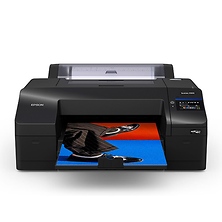
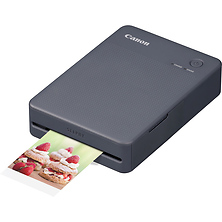
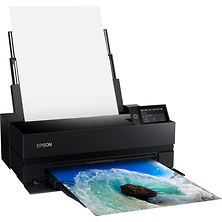
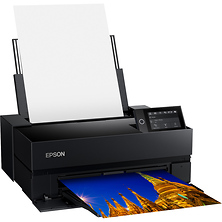
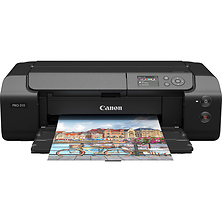
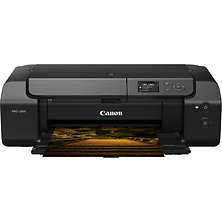
Photography printers fall into distinct categories based on maximum print width, which directly affects what subjects and formats you can produce. Portable printers measuring 4 inches wide serve mobile photographers and travel-focused workflows, printing everything from the back of your camera tethered to a smartphone. Desktop models with 6-inch and 13-inch maximum widths handle standard photo sizes and moderate-sized fine art prints in home studios or small offices. Professional wide-format printers supporting 24, 36, and 44-inch paper widths enable gallery exhibitions, large client deliverables, and landscape or architectural fine art where scale becomes part of the artistic statement.
Beyond paper width, print quality depends on several interrelated factors: inkset size (the number of distinct colors the printer applies), resolution measured in dots per inch (DPI), and paper type. Most current photo printers use either 6-color, 8-color, or 12-color inksets. Six-color systems excel at speed and cost-per-print for everyday photography work. Eight and 12-color systems introduce additional ink shades that enhance shadow detail, reduce banding in gradients, and produce more lifelike skin tones. Archival ratings matter if your prints need to last decades without fading, as many professional models support 100+ year archival longevity when paired with archival-rated papers.
Key Features of Professional Photo Printers
When evaluating a photo printer, these specifications directly influence your results:
- Maximum print width (determines largest possible print size)
- Color depth and ink configuration (6, 8, 10, or 12 color systems)
- Print resolution (typically 2400, 4800, or 5760 DPI)
- Supported paper types (glossy, matte, fine art, canvas, specialty substrates)
- Connectivity options (USB, Ethernet, Wi-Fi, direct mobile printing)
- Paper handling (automatic paper feed, roll media capability, manual sheet feed)
- Print speed (minutes per 4x6, 8x10, or full-width print)
- Display screen for standalone printing from memory cards)
- Color calibration tools (spectrophotometer compatibility, ICC profile support)
- Dry time and border width (borderless versus framed white space)
- Native drivers for your operating system and design software
- Ink system (individual cartridges versus tank systems versus sublimation)
Portable and Desktop Printers for Small Spaces
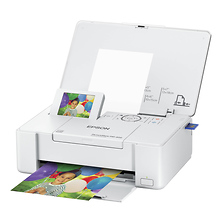
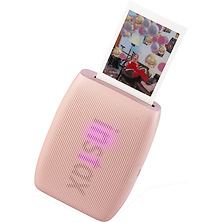
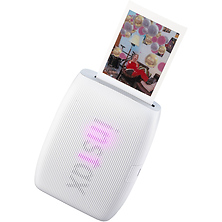
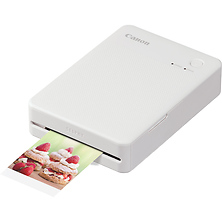
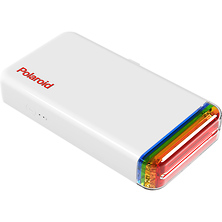
Photographers working from home offices, small studios, or on location benefit from compact photo printers that produce standard formats quickly without requiring dedicated darkroom space. Portable models have become increasingly capable, with some supporting full-color output in sizes up to 6x8 inches and wireless connectivity to smartphones and tablets. These machines pair perfectly with camera bags for photographers managing mobile workflows.
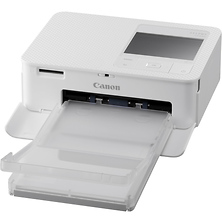
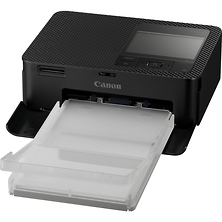
Desktop printers with 6-inch maximum print widths fit on shelves or desks while still handling 4x6 prints (the most common snapshot size), 4x5.3 prints (Instagram square format with margin), and other proportions from portrait sessions, events, or travel photography. These machines typically offer 6-color systems that balance print quality against cost-per-print and dry time.
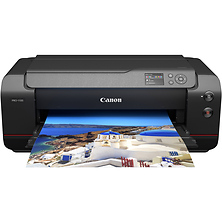
Models supporting 13-inch maximum width move into fine art territory, printing 8x10 and 11x14 inch prints that work beautifully on walls without matting or framing. This size range serves as the sweet spot for photographers who want gallery-quality output without committing to a room-sized installation. If you're building a portfolio of your work, having local print production at this scale lets you produce samples and client deliverables on your timeline.
Wide-Format Printers for Fine Art and Exhibition
Photographers pursuing fine art, landscape, or architectural work often need printers capable of 24, 36, or 44-inch widths. At these scales, individual prints become artistic objects worthy of gallery walls or museum collections. The investment in a wide-format system pays dividends when your visual work is strong enough to sell or exhibit.
Wide-format models support 8, 10, or 12-color inksets that handle the tonal subtlety fine art demands. Many incorporate spectrophotometer ports for color calibration, ensuring each print matches your monitor with precision. Larger machines include roll media capability, letting you print panoramas or experimental aspect ratios without limitations imposed by cut-sheet widths. Photographers working with digital cinema cameras often output frame grabs enlarged to poster size using these systems.
Paper Types and Their Impact on Final Output
The paper you choose has equal importance as the printer and ink system. Glossy papers produce vibrant color and sharp detail, favored for portraits, event coverage, and product photography where saturation and punch matter. Matte finishes reduce glare and suit editorial work, corporate environments, and fine art where subdued tones feel intentional.
Fine art papers, including cotton rag, baryta, silk, luster, and canvas substrates, add texture and perceived quality to artistic prints. These specialty substrates often require different color profiles and drying times than standard photo paper. Many photographers build relationships with paper manufacturers and test samples before committing to large batches. Borderless printing requires compatible paper, as the printer's spray bars extend beyond the sheet edges.
Brands and Printer Manufacturers
Leading photo printer manufacturers include Canon, Epson, HP, and Fujifilm, each offering distinct product lines across portable, desktop, and wide-format categories. Canon printers deliver color science well-suited to photographers shooting Canon mirrorless cameras. Epson's solutions pair seamlessly with fine art papers and color management. HP provides cost-effective portable and desktop options for photographers seeking quick turnaround. Fujifilm's sublimation solutions excel for instant event printing and specialty applications.
Who Uses Photo Printers
Wedding and portrait photographers producing client proofs and albums rely on photo printers for fast turnaround and color consistency. A photographer shooting an engagement session on Friday needs to produce sample prints by Sunday for a Monday proof appointment; lab turnaround times make this impossible, but a quality desktop printer makes it routine.
Fine art photographers building portfolios and gallery shows use wide-format printers to produce exhibition-quality prints under their own quality control. They work with archival materials and color calibration to ensure their artistic vision translates from screen to wall without compromise.
Event and commercial photographers use compact portable or desktop printers at client events for instant gratification, producing prints on-site to build goodwill and generate additional sales. Some photographers bring tablet-connected mobile printers to weddings, parties, and corporate events specifically for immediate output.
Photography enthusiasts and hobbyists use desktop printers to preserve their best work physically, creating albums, wall art, and gifts for family. The immediacy of printing at home versus waiting for lab orders encourages more frequent printing and experimentation with different paper types and sizes. Protecting prints with proper lens cases and pouches during transport ensures they arrive in perfect condition.
Color Management and Calibration
Achieving predictable, repeatable color from your printer requires color management discipline. Most photo printer workflows involve three elements: monitor profiling (ensuring your display accurately shows colors), printer profiling (building an ICC color profile specific to your paper and ink combination), and print driver optimization.
Professional photographers invest in spectrophotometers and profiling software to build custom color profiles for their exact printer, paper, and ink combination. This eliminates guesswork and ensures consistent results across multiple print jobs. If you're selling prints or exhibiting work, color accuracy is non-negotiable. Understanding your studio and lighting setup becomes equally important for accurate color reproduction.
Connectivity and Workflow Integration
Modern photo printers support multiple connection methods to match your workflow. USB connections offer the most direct path from computer to printer with no wireless overhead. Ethernet ports enable network printing from multiple computers or devices on the same network. Wi-Fi and Bluetooth let you print directly from tablets and smartphones, essential for mobile photographers and collaborative studio environments.
Memory card slots on some models enable standalone printing without any computer; simply insert your card, navigate the on-screen menu, and print. This feature appeals to photographers who want to print on location or don't want to tether to a computer during shoots. Professional workflows often integrate printers with color-managed applications like Adobe Lightroom, Capture One, or dedicated print plugins.
Ink Systems: Cartridges, Tanks, and Sublimation
Photo printers use three primary ink delivery systems, each with cost and maintenance tradeoffs. Traditional cartridge systems (individual replaceable ink cartridges) offer simplicity and work with most desktop and portable models. You replace a cartridge when it empties, minimizing waste if you print infrequently.
Tank systems feature integrated ink reservoirs that you refill from bottles, dramatically reducing cost-per-print for high-volume photographers. Initial system cost is higher, but over thousands of prints, tank systems prove economical. These require more attention to maintenance and ink level monitoring.
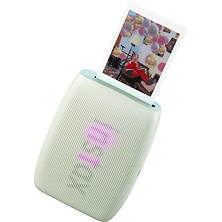
Sublimation printers use heat-activated dye inks on special papers, producing borderless 4x6 prints with excellent longevity in certain applications. Sublimation excels for snapshot event printing and specialty applications but doesn't match the color gamut of traditional photo ink systems for fine art work.
Frequently Asked Questions
What's the difference between a photo printer and an inkjet printer designed for documents?
Document printers prioritize speed and cost-per-page for text and graphics. Photo printers sacrifice speed in favor of color accuracy, ink volume, and paper handling capability. A document printer uses 4-color (CMYK) inks, while photo printers add light cyan, light magenta, or additional colors to reproduce smooth gradients and natural skin tones. Using a photo printer for documents wastes consumables, while document printers cannot accurately render photographic content.
How do I maintain consistent color across multiple prints?
Start by profiling your monitor to ensure what you see on screen is accurate. Build a custom ICC profile for your printer using the specific paper and ink combination you'll use. In your print driver dialog, select that custom profile and set the printer to manage colors (not the application). This workflow ensures each print matches your screen and previous prints.
Can I use third-party papers and inks, or should I stick to manufacturer products?
Most photo printers work with third-party papers from cotton rag and fine art specialists, though you'll need to build custom color profiles. Third-party inks are riskier; using non-OEM inks may void your warranty and can produce color shifts or longevity problems. Many photographers use OEM inks with third-party specialty papers as a compromise that balances cost and quality.
What print sizes work best for typical home or studio use?
4x6 inches remains the most versatile size for everyday printing (snapshot proportions). 5x7 and 8x10 work for framed prints on walls. 11x14 or 13x19 inches move into fine art territory suitable for portfolio work or gallery walls. Choosing based on your display purpose (wall art versus album prints) guides the right size for your needs.
How long do archival prints last?
Prints using archival-rated papers and pigment inks from quality photo printers can last 100+ years without noticeable fading when displayed under normal indoor conditions and light levels. This assumes proper storage and display (avoiding direct sunlight, humidity extremes, and chemical exposure). Non-archival papers degrade faster, especially with dye-based inks. If longevity matters, invest in archival materials.
Do I need a dedicated photo printer, or can I use a multifunction device?
Multifunction printer-scanner-copier devices rarely match the color fidelity or paper handling of dedicated photo printers. If printing photos is a core part of your workflow, especially if you're selling or exhibiting work, a dedicated photo printer is worth the investment. For casual printing, a multifunction device may suffice, but expect compromised color and limited paper support.
Shop Photo Printers at Samy's Camera
Photo printers give you control over one of the most important final steps in your creative process: translating digital captures into physical prints. Whether you're producing client proofs on a desktop model, creating gallery-quality fine art on a wide-format system, or printing snapshots on a portable device for client events, we carry professional printers from leading manufacturers. Visit a Samy's Camera location or browse online to find the printer that matches your output requirements. Our expert staff can help you understand color management, paper options, and workflow integration to ensure your prints match your vision.